Changelog
Follow new updates and improvements to KinesteX.
✨ New: Powerful Theme & Color Customization
Unleash your creativity with a brand-new theme editor in the admin dashboard.
Full Color Control: Customize all 33 core colors used across the platform.
Multiple Themes: Create, save, and switch between different visual themes.
Smart Color Picker: Our new smart picker system makes UI customization simpler and more intuitive.
See it in action: Watch a quick demo on YouTube
🚀 Improvements: Authentication & Performance
We've completely overhauled the user authentication experience from the ground up.
Blazing Fast Authentication: The entire login and sign-up flow is now significantly faster, reducing loading times.
Modernized UI: Enjoy a cleaner, more intuitive interface for authentication.
New Loading Animation: We've updated our initial loading animation to match our refreshed look.
Smoother Onboarding: You can now pass a username when creating a challenge, which will be pre-filled for the user to streamline their setup process.
Responsive Settings: The settings UI has been adjusted to provide a consistent experience across multiple screen sizes.
Integrated Settings: The settings UI is now accessible directly within the Workouts and Challenges modules for easier access.
🐛 Bug Fixes
❗️Notes
Please note that this update might have some impact on your existing UI, since we introduced new colors, we migrated all existing colors into the new system but during migration your UI might not exactly the same as it was before. We are available anytime to help you resolve any issues!
🚀 Enhanced Translation System
Improved Performance & Reliability
Faster translations: Migrated from GPT-based translation to Google Translate API
Higher accuracy: Eliminates inconsistent formatting and unreliable results
Better reliability: More consistent translation quality across all languages
🎤 Voice Control System
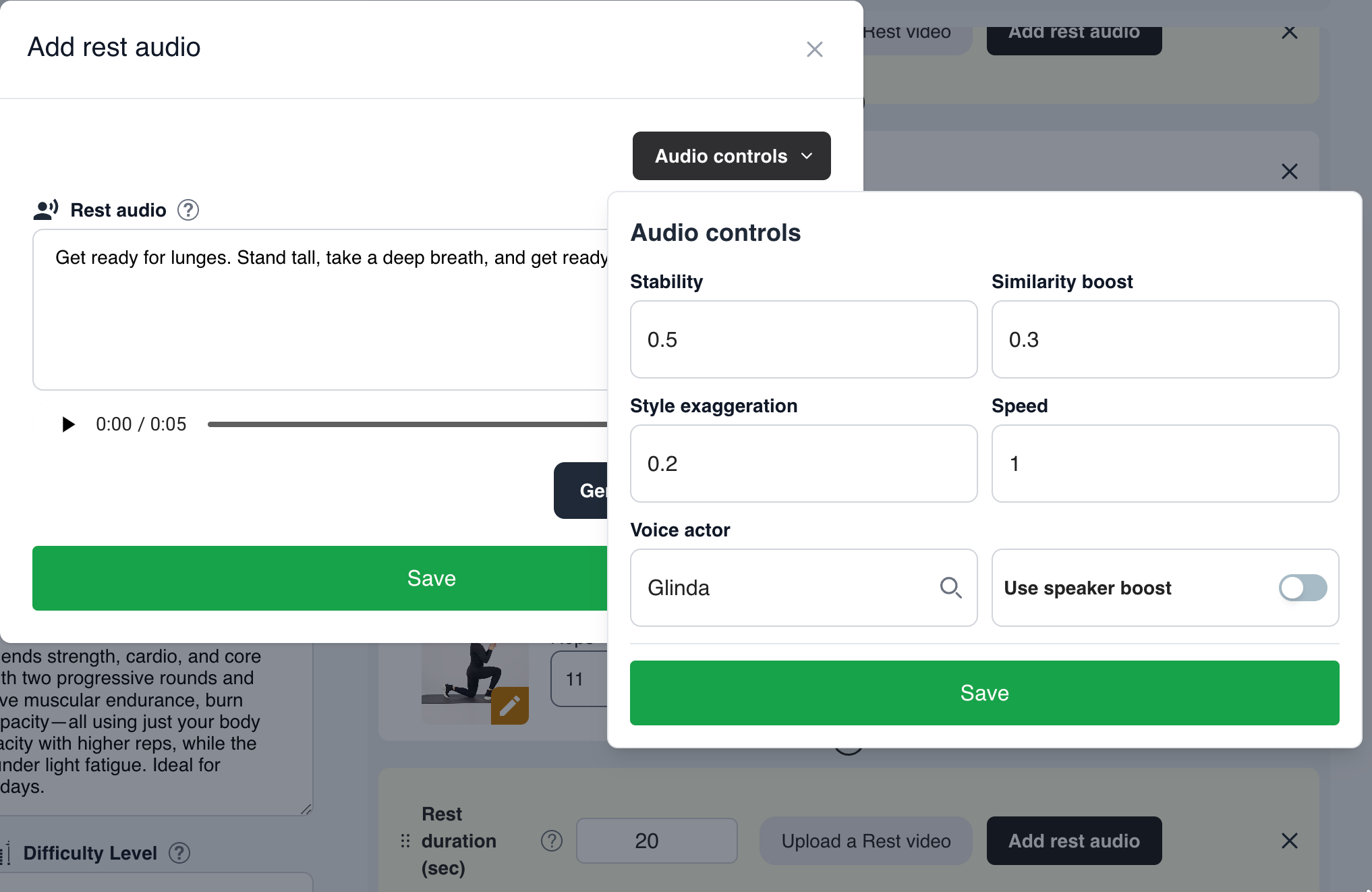
New Voice Actor Options We've added customizable voice actors to enhance user experience:
Glinda (Default female voice)
Sarah (Voice ID: Nhs7eitvQWFTQBsf0yiT)
Jessica (Voice ID: cgSgspJ2msm6clMCkdW9)
SDK Integration To use a custom voice actor, specify the voiceActor parameter in customParams when initializing:
kinestexKit.createWorkoutView(
    ...,
    customParams: ["voiceActor": "cgSgspJ2msm6clMCkdW9"]
)
⚠️ Important Notes:
Generate feedback audio for ALL exercises using your chosen voice actor
Users may experience missing voice guidance if audio isn't available for the selected voice actor
Default voice (Glinda) doesn't require specifying voiceActor parameter
Ensure audio generation uses the correct voice model in the admin dashboard
⏱️ Independent Rest Audio Management
Enhanced Workout Sequence Control
New Feature: Add custom rest audio directly in the workout sequence
Improved Flexibility: Rest audio is now independent from individual exercises
Multi-language Support: Specify custom audio for all available languages
API Changes The workout fetching API now includes rest audio from the sequence when specified.
Example Workout Structure:
{
  "workout_sequence": [
    {
      "Rest": {
        "rest_speech": "Relax for 15 seconds, next up is Squats!",
        "countdown": 15
      }
    },
    {
      "Squats": {
        "rest_speech": "For Squats please sit down, ensure your knee angle is at 90 degrees"
      }
    },
    {
      "Rest": {
        "countdown": 15
      }
    },
    {
      "Jumping Jack": {
        "rest_speech": "Jump high and spread your legs while jumping"
      }
    }
  ]
}
Logic Explanation:
Squats exercise: Will use custom rest speech "Relax for 15 seconds, next up is Squats!" from the preceding Rest object
Jumping Jack exercise: Will use its own rest speech "Jump high and spread your legs while jumping" since the preceding Rest object doesn't override it
Migration Impact: